GitLab CI/CD Integration
Integrate Detectify Internal Scanning into your GitLab pipelines to automatically scan your applications for vulnerabilities. Run scans on every push, before releases, or on a schedule.
What You Can Do
- Scan on every push - Catch vulnerabilities early during development
- Scan release candidates - Validate staging deployments before promoting to production
- Enforce policies - Optionally use guardrails to block pipelines when findings exceed thresholds
See Use Cases for detailed workflow examples.
Prerequisites
- Internal Scanning Agent deployed and accessible from GitLab runners
- Scan profile created in the Detectify platform (this represents the application you want to scan)
- GitLab project with CI/CD enabled
Important: The pipeline triggers a scan against a deployed application registered in Detectify, not your source code. Ensure the target application is running and accessible from your Internal Scanning Agent.
Quick Start
This example runs a security scan on merge requests and main branch pushes.
Step 1: Configure CI/CD Variables
In your GitLab project, navigate to Settings → CI/CD → Variables and add:
| Variable | Description | Options |
|---|---|---|
SCANNER_API_URL | Your Internal Scanning Agent endpoint URL | Required |
SCAN_PROFILE_TOKEN | Token for the scan profile (application) you want to scan | Required, Masked |
Tip: Mark
SCAN_PROFILE_TOKENas “Masked” to prevent it from appearing in job logs. You can find this token in the Detectify platform under your scan profile settings.
Step 2: Add the Pipeline Configuration
Download the pipeline configuration and add it to your repository as .gitlab-ci.yml:
The configuration below shows the key structure. Download the file for the complete version with additional features.
View pipeline configuration
# Internal Security Scanner - GitLab CI/CD Integration
stages:
  - security-scan

variables:
  # Polling Configuration
  POLL_INTERVAL: "30"         # Seconds between status checks
  POLL_TIMEOUT: "14400"       # Max wait time (default: 4 hours)

  # Guardrail Thresholds - pipeline fails if findings >= threshold (0 = disabled)
  FAIL_ON_HIGH: "1"           # Block on any high severity finding
  FAIL_ON_MEDIUM: "0"         # Disabled by default
  FAIL_ON_LOW: "0"            # Disabled by default

security-scan:
  stage: security-scan
  timeout: 5h
  image: alpine:latest

  before_script:
    - apk add --no-cache curl jq

  script:
    - |
      set -e

      # Validate required variables
      [ -z "$SCANNER_API_URL" ] && echo "ERROR: SCANNER_API_URL not set" && exit 1
      [ -z "$SCAN_PROFILE_TOKEN" ] && echo "ERROR: SCAN_PROFILE_TOKEN not set" && exit 1

      # Health check
      echo "Checking scanner availability..."
      HEALTH=$(curl -s -o /dev/null -w "%{http_code}" "${SCANNER_API_URL}/health")
      [ "$HEALTH" != "200" ] && echo "ERROR: Scanner not reachable" && exit 1

      # Start scan
      RESPONSE=$(curl -s -X POST "${SCANNER_API_URL}/scans" \
        -H "Content-Type: application/json" \
        -d "{\"scan_profile_token\": \"${SCAN_PROFILE_TOKEN}\"}")
      SCAN_ID=$(echo "$RESPONSE" | jq -r '.id')
      echo "Scan ID: $SCAN_ID"

      # Poll for completion (simplified - see full file for complete implementation)
      # ... polling logic ...

      # Get results and apply guardrails
      RESULTS=$(curl -s "${SCANNER_API_URL}/scans/${SCAN_ID}/results")
      echo "$RESULTS" | jq '.' > scan-results.json

      # Count and evaluate findings against thresholds
      # ... guardrail logic ...

  artifacts:
    when: always
    paths:
      - scan-results.json
      - scan-report.json
      - scan-id.txt
    expire_in: 30 days

  rules:
    - if: $CI_PIPELINE_SOURCE == "merge_request_event"
    - if: $CI_COMMIT_BRANCH == $CI_DEFAULT_BRANCH
    - if: $CI_PIPELINE_SOURCE == "web"
      when: manual
Step 3: Commit and Run
Commit the .gitlab-ci.yml file to your repository. The pipeline will automatically run on:
- Merge requests
- Pushes to the default branch
- Manual triggers from the GitLab UI
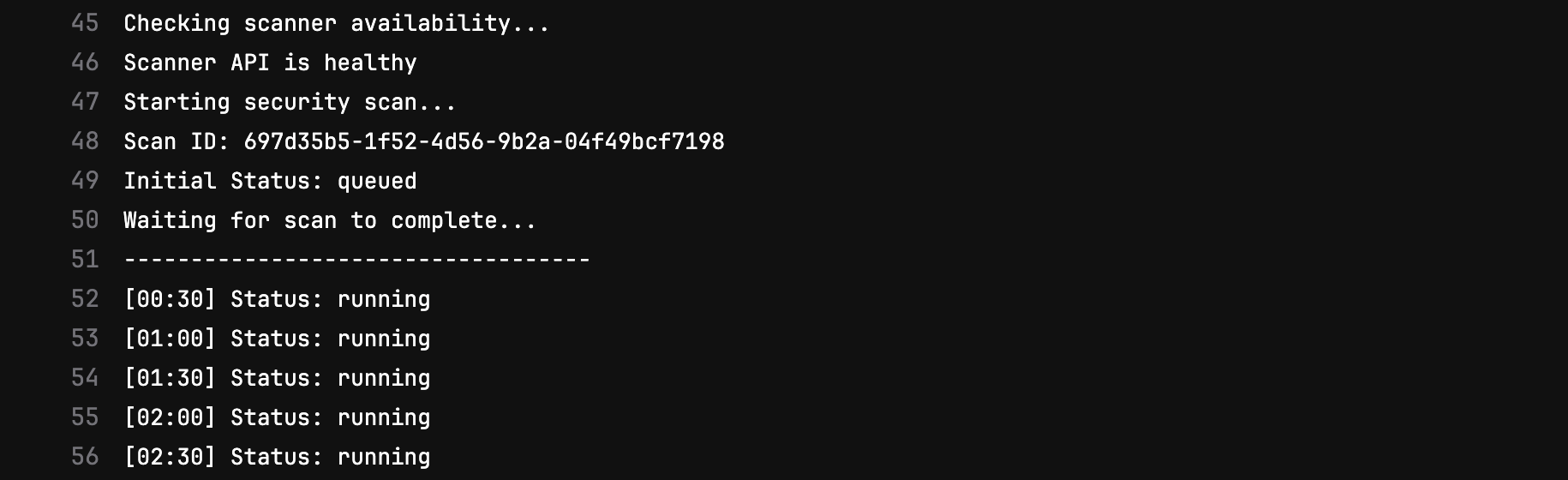
Pipeline running in GitLab
Viewing Results
Pipeline Output
The scan job logs show real-time progress and a summary of findings:
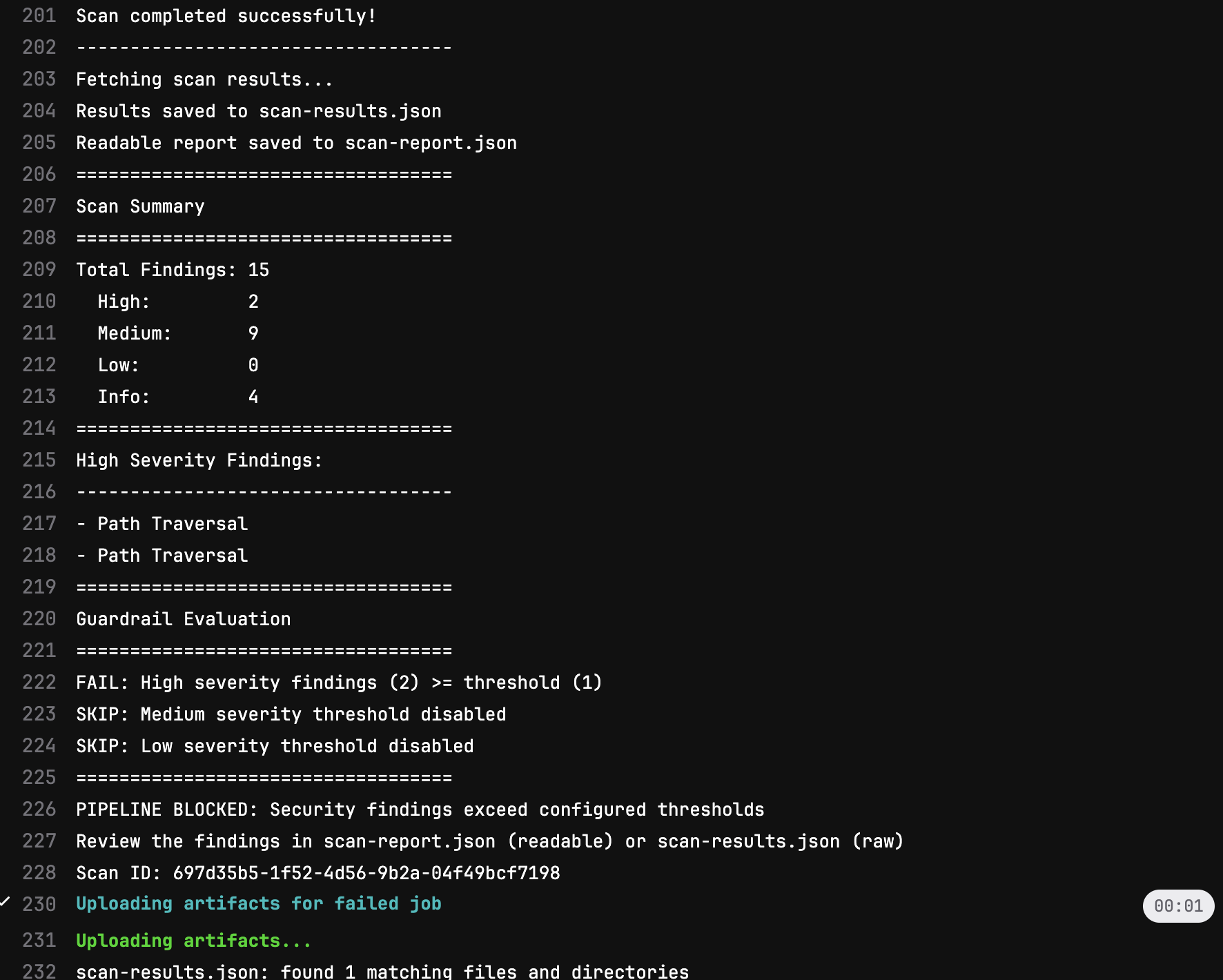
Scan results in job output
Artifacts
Scan results are saved as pipeline artifacts for later review:
| Artifact | Description |
|---|---|
scan-results.json | Full scan results in JSON format |
scan-id.txt | Scan ID for reference in Detectify platform |
scan-status.json | Final scan status (on failure) |
Next Steps
- Use Cases - Different workflows (scan on push, release candidates, scheduled)
- Configuration Reference - Customize polling, timeouts, and more
- Guardrails - Optional: Set up security policies to block pipelines